

Skip to content
TerryWhite Chemmart

Get your scripts faster with myTWC

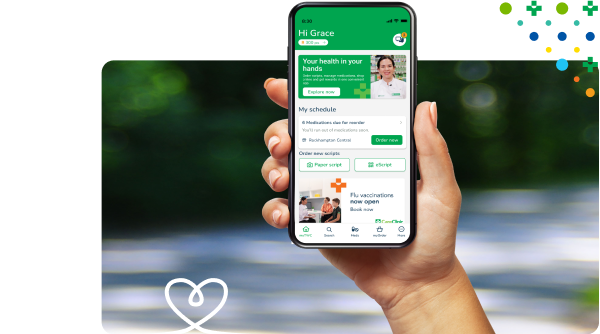
Your safe, easy way to order scripts, manage medications, set reminders, shop, get rewards and stay in touch with your TerryWhite Chemmart pharmacy.


           

Sign in Create an account

Get your scripts faster with myTWC

Your safe, easy way to order scripts, manage medications, set reminders, shop, get rewards and stay in touch with your TerryWhite Chemmart pharmacy.

Sign in Create an account


Download our app today

Get your scripts faster with myTWC

‎Your safe, easy way to order scripts, manage medications, set reminders, shop, get rewards and stay in touch with your TerryWhite Chemmart pharmacy.

Sign in Create an account


Download our app today

Manage, track, and organise all your health care needs with myTWC,
including prescriptions, from the palm of your hand. 

Manage, track, and organise all your health care needs with myTWC,

Family Mode™

With Family Mode™, manage medications for family members or those in your care.

Manage appointments

Book and manage health services and vaccinations, and keep all your prescriptions in one place.

Earn rewards

Earn 3 reward points for every $1 spent, redeemable on in-store purchases.

Family Mode™

With Family Mode™, manage medications for family members or those in your care.

Manage appointments

Book and manage health services and vaccinations, and keep all your prescriptions in one place.

Earn rewards

Earn 3 reward points for every $1 spent, redeemable on in-store purchases.

Shop online

Shop your pharmacy essentials online via myTWC, with Click & Collect or delivery options.

Shop online

Shop your pharmacy essentials online via myTWC, with Click & Collect or delivery options.

Digital receipts

View and keep track of digital receipts for all your past purchases.

Medication reminders

Receive reminders when your medications are due for refill.

Digital receipts

View and keep track of digital receipts for all your past purchases.

Medication reminders

Receive reminders when your medications are due for refill.


Manage

With Family ModeTM, manage the medications of family members or people you care for.   

Book and manage health services and vaccinations. You can also manage all your prescriptions in one place when you connect to MySL.

Manage

With Family ModeTM, manage the medications of family members or people you care for.   

Book and manage health services and vaccinations. You can also manage all your prescriptions in one place when you connect to MySL.


Track

Shop all your pharmacy needs online from within myTWC. Choose Click & Collect or delivery, as needed.

Earn 3 rewards points for every $1 spent, to redeem on in-store purchases.

Track

Shop all your pharmacy needs online from within myTWC. Earn 3 rewards points for every $1 spent, to redeem on in-store purchases.

Choose Click & Collect or delivery, as needed.


Organise

Receive reminders when your medications are due for refill.

View digital receipts on past purchases.

See your rewards balance, medications list and past purchases at a glance.

Organise

Receive reminders when your medications are due for refill. View digital receipts on past purchases. See your rewards balance, medications list and past purchases at a glance.

Hero Image

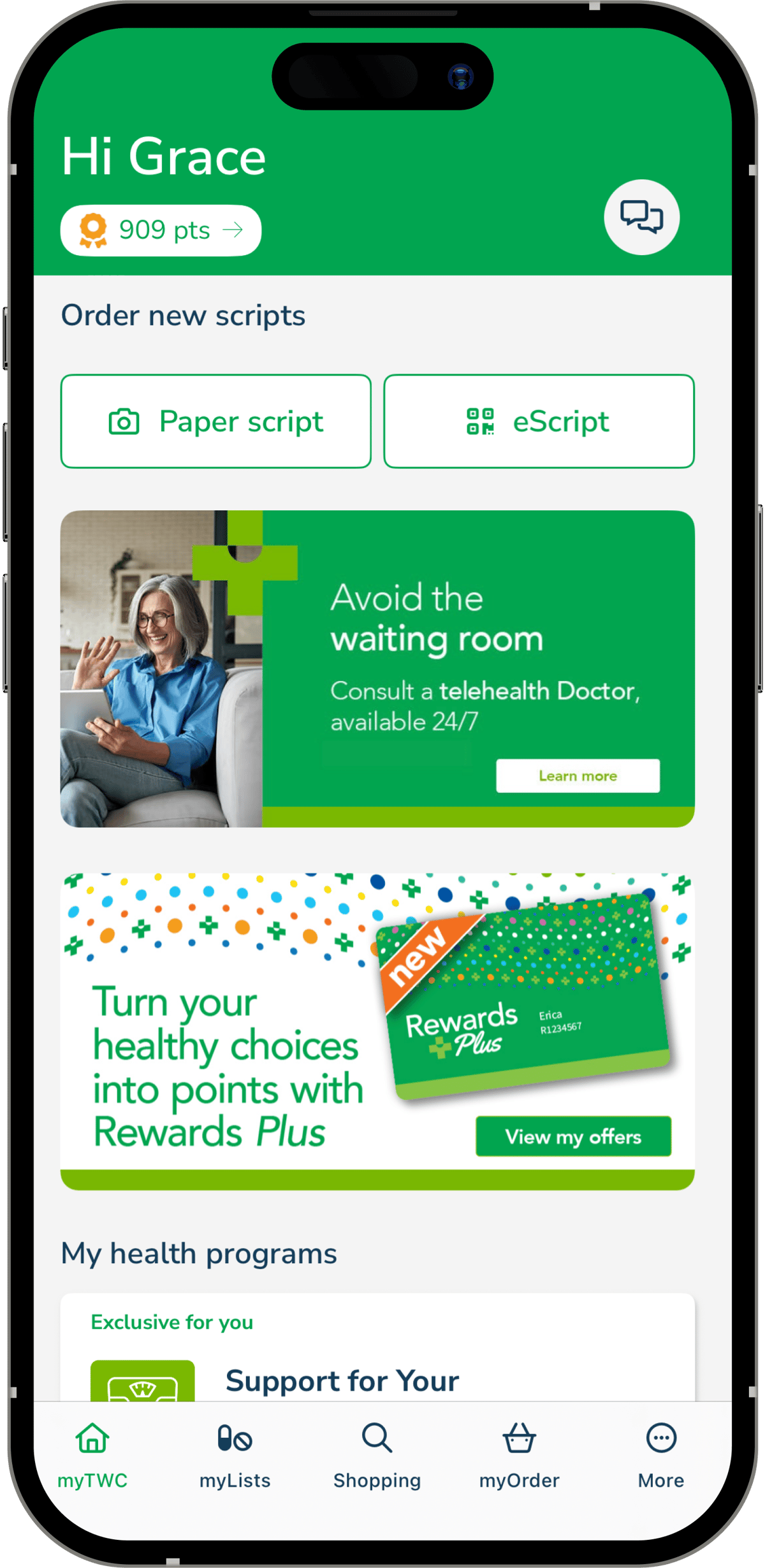
Turn your healthy choices into points with Rewards Plus

‎myTWC members automatically earn points on purchases, plus access to exclusive members-only benefits.

Turn your healthy choices into points with Rewards Plus

myTWC members automatically earn points on purchases, plus access to exclusive members-only benefits.

Join

Join for free in-store, online or with the myTWC app.

Earn

Earn points on eligible purchases and bonus point promotions.

Redeem

Every 1000 points means $10 back in your pocket!

Plus

Find exclusive offers available only in myTWC.

Hero Image

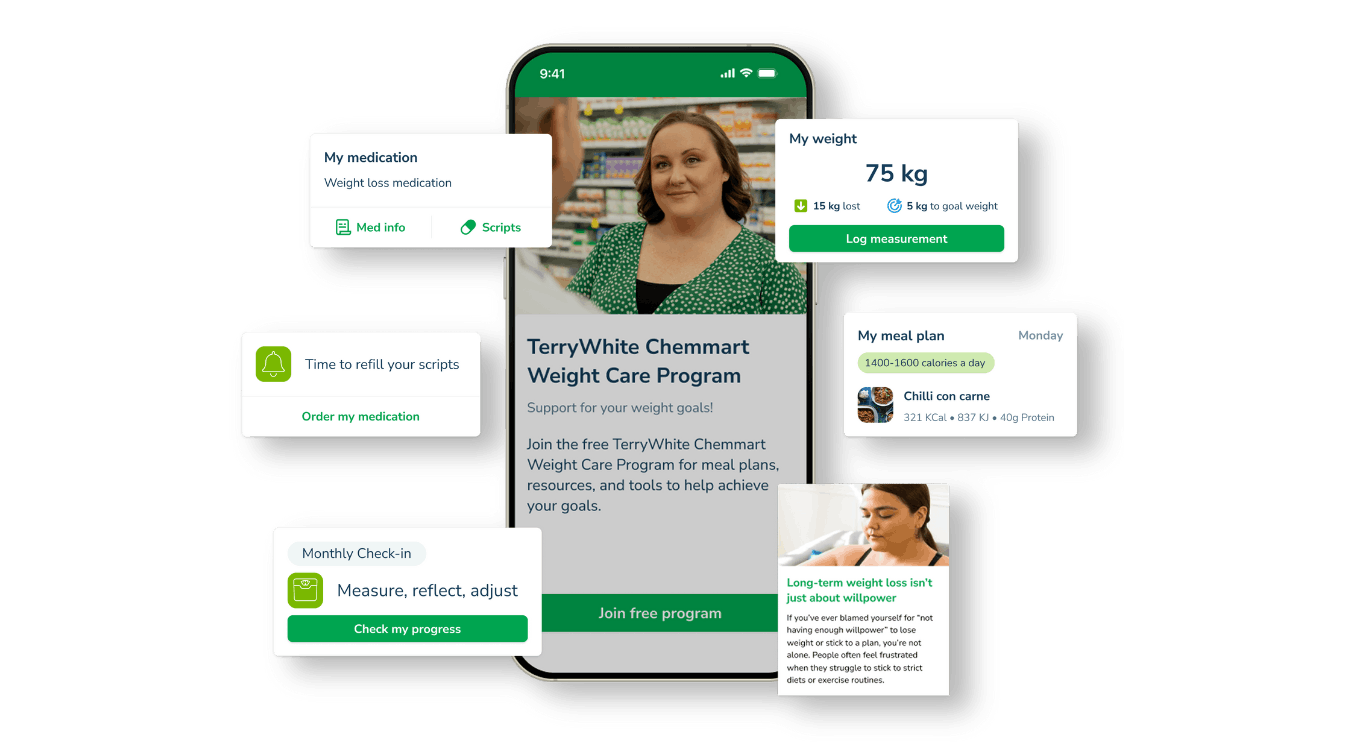
Weight Care Program

Stay on track with your medical weight loss journey


Starting a medical weight loss journey is a big step, and staying motivated can be just as challenging.

The Weight Care Program combines your prescribed weight loss medication with personalised guidance, expert tips, and support, all delivered straight to your phone.


Learn more

Weight Care Program

Stay on track with your medical weight loss journey


Starting a medical weight loss journey is a big step, and staying motivated can be just as challenging.

The Weight Care Program combines your prescribed weight loss medication with personalised guidance, expert tips, and support, all delivered straight to your phone.


Learn more

Hero Image

Never lose a script again with MySL

myTWC can now manage all your scripts in one place

What is MySL?

My Script List (MySL) is a secure service that lets you and your chosen healthcare professionals view your current active prescriptions. Connect MySL with your myTWC app for a comprehensive view of your scripts. 

You’re in control of which pharmacies and doctors have access to your scripts list and you can view and manage it right from your myTWC app.  

What are the benefits of connecting MySL with the myTWC app?

Instead of keeping track of the eScript tokens you receive via email and SMS, MySL brings everything together in the myTWC app.

You won’t have to worry about losing a token, and it’s easier to manage multiple medications.

New eScripts will automatically appear in the myTWC app and repeat counts are always accurate, even when using a different pharmacy.

How do I connect myTWC to the MySL?  

You can connect your myTWC app to the MySL with an activation code provided by your Pharmacist. This can be done in-store or via a request in the myTWC app.  

As part of the setup process, you'll need to consent to your pharmacy accessing your MySL. 

You’ll also need to keep any paper scripts handy and bring them in with you when they need to be filled.  

Do I have to download the myTWC app to manage scripts through MySL?  

Yes. The myTWC app allows you a way to manage all your active prescriptions once you connect it the MySL.

However, your Pharmacist or a TerryWhite Chemmart team member can access MySL on your behalf once you’ve given permission.  

Download the myTWC app

Download the myTWC app

Hero Image

myTWC FAQs

How do I sign-up to myTWC

You can sign up quickly and easily either by downloading our myTWC app from the Apple or Google Play App stores and completing the sign-up process using your email address or 3rd party login details (Google, Apple or Microsoft).

I already use another script app – can I easily transfer my medications into myTWC?

If you already use another prescription management app, you can still be enrolled into myTWC. All you need to do is visit your local TerryWhite Chemmart pharmacy to be linked for ordering your script repeats and new eScripts. To ensure you receive the best possible experience when managing your medications and eScript tokens, you should, however, remove your previous script management app.

How do I enrol into myTWC to order my scripts online?

Sign up to myTWC at participating TerryWhite Chemmart pharmacies. Simply talk to your Pharmacist or pharmacy assistant on how to enrol.

You will need a current mobile number, either your own email address or a Google, Apple or Microsoft account, and a mobile device to download the myTWC app and sign up with. You will then receive an SMS message to complete your myTWC sign up.

Does it cost anything to sign up?

No, the myTWC app is free of charge.

How long after enrolling should I see my medications in my account?

You will be able to see these instantly once you have activated using the link in your welcome SMS.

Do I need my paper prescriptions on file at my pharmacy?

When you sign into myTWC, you will see all your medications at your pharmacy listed in your account, ready to re-order if you have repeats available. This includes eScript tokens and paper prescriptions. You will need to leave your paper scripts on file at your pharmacy to be able to re-order any repeats available.

Can I add other pharmacy shop items to my script basket?

Yes, you can easily and quickly shop for other pharmacy items including over-the-counter products, and add them into your basket for purchasing online at the same time as your script items.

MySL FAQs

Do I still need to show my eScript token?​

No – and this is the benefit! Your Pharmacist will be able to dispense your medications after you have ordered from within the myTWC app – without you needing to find and show your eScript token.

For paper scripts, you will still need to supply the pharmacy with your original and repeat paper script, and you can leave this with the pharmacy for safe keeping.

What if I don't want all my medications included on MySL?​

You can choose what medications you want added. Speak to your prescriber about this.​

Do I need to prove my identity?​

You may be required to provide 100 points of identification to your Pharmacist. You can also nominate a carer or family member to help you look after your MySL.​

Will other pharmacies have access to MySL?​

No one can access your MySL without your permission. To allow your TerryWhite Chemmart pharmacy, simply respond to the SMS your pharmacist sends after your in-store consultation.

What are the detailed steps to set up MySL?  

Tap on ‘My Script List’ under the ‘More’ menu, then follow the instructions in the following screenshots:

Never lose a script again

Our myTWC app has been updated to enable MySL to help you manage your scripts in one place, so you never lose a script again

What is mySL?  

My Script List (MySL) is a secure service that lets you and your chosen healthcare professionals view your current active prescriptions. Connect MySL with your myTWC app for a comprehensive view of your scripts. 

You’re in control of which pharmacies and doctors have access to your scripts list and you can view and manage it right from your myTWC app.  

What are the benefits of connecting MySL with the myTWC app?

Instead of keeping track of the eScript tokens you receive via email and SMS, MySL brings everything together in the myTWC app.

You won’t have to worry about losing a token, and it’s easier to manage multiple medications.

How do I connect myTWC to the MySL?

You can connect your myTWC app to the MySL with an activation code provided by your Ppharmacist. This can be done in-store or via a request in the myTWC app.  

As part of the setup process, you will 'll need to consent to your pharmacy accessing your MySL. 

You’ll also need to keep any paper scripts handy and bring them in with you when they need to be filled.  

Do I have to download the myTWC app to access MySL?

Yes. The myTWC app allows you a way to manage all your active prescriptions once you connect it the MySL.

However, your Pharmacist or a TerryWhite Chemmart team member can access MySL on your behalf once you’ve given permission.  

Download myTWC from the app store

inline|Download on the app Store

inline | Get it on Google Play


myTWC members automatically earn points on purchases, plus access to exclusive members-only benefits.

Find out more