

Skip to content
TerryWhite Chemmart

Get your scripts faster with our app

Your secure, easy way to order scripts, manage medications, set reminders, shop, get rewards and stay in touch with your TerryWhite Chemmart pharmacy.


Download our app today

Download on the App StoreGet it on Google Play

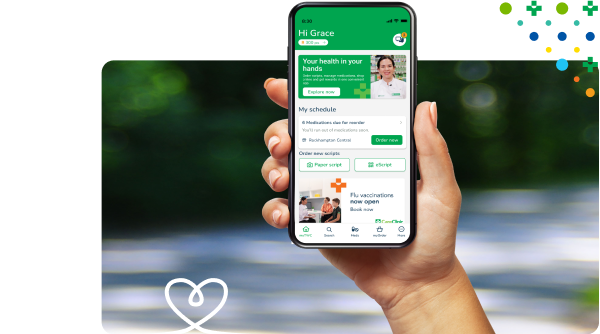
TerryWhite Chemmart App held in hand

How to manage your prescriptions

Whether you have an eScript, paper script, or script on file, you can manage it all within the app.

eScripts

If your Doctor sends your eScript to your phone or email - you can add the token to our app and order it straight away. We'll let you know as soon as it's ready.

Paper scripts

Got a new paper script? Take a photo of it in the app and order ahead for Click & Collect.

Scripts on file

Keep your scripts on file at your local pharmacy for easy ordering. Once your Pharmacist links them to the app, your repeats are a couple of taps away.

Prefer to sort it out in person? That works too. Your pharmacist can enrol you, link your scripts and answer any questions.

The app does a lot more

As well as managing scripts, you can book appointments and set reminders, track rewards, shop your favourite brands and more, all from your phone.

Family Mode

Family Mode

Look after scripts and medications for your kids, your parents, or anyone in your care.

Appointments

Appointments

Book vaccinations and health services, and manage all your appointments in one place.

Health programs

Health programs

Sign up for free programs to stay on track with your goals.

Rewards Plus

Rewards Plus

Earn 3 points for every $1 spent. Every 1,000 points turn into $10 to spend in store.

Shop online

Shop online

Get all your pharmacy essentials, with Click & Collect or delivery.

Digital receipts

Digital receipts

Easily keep track of your shopping.

My Script List (MySL)

My Script List (MySL)

Connect MySL for automatic eScript linking.

Medication reminders

Medication reminders

Get notified when a script is about to run out.
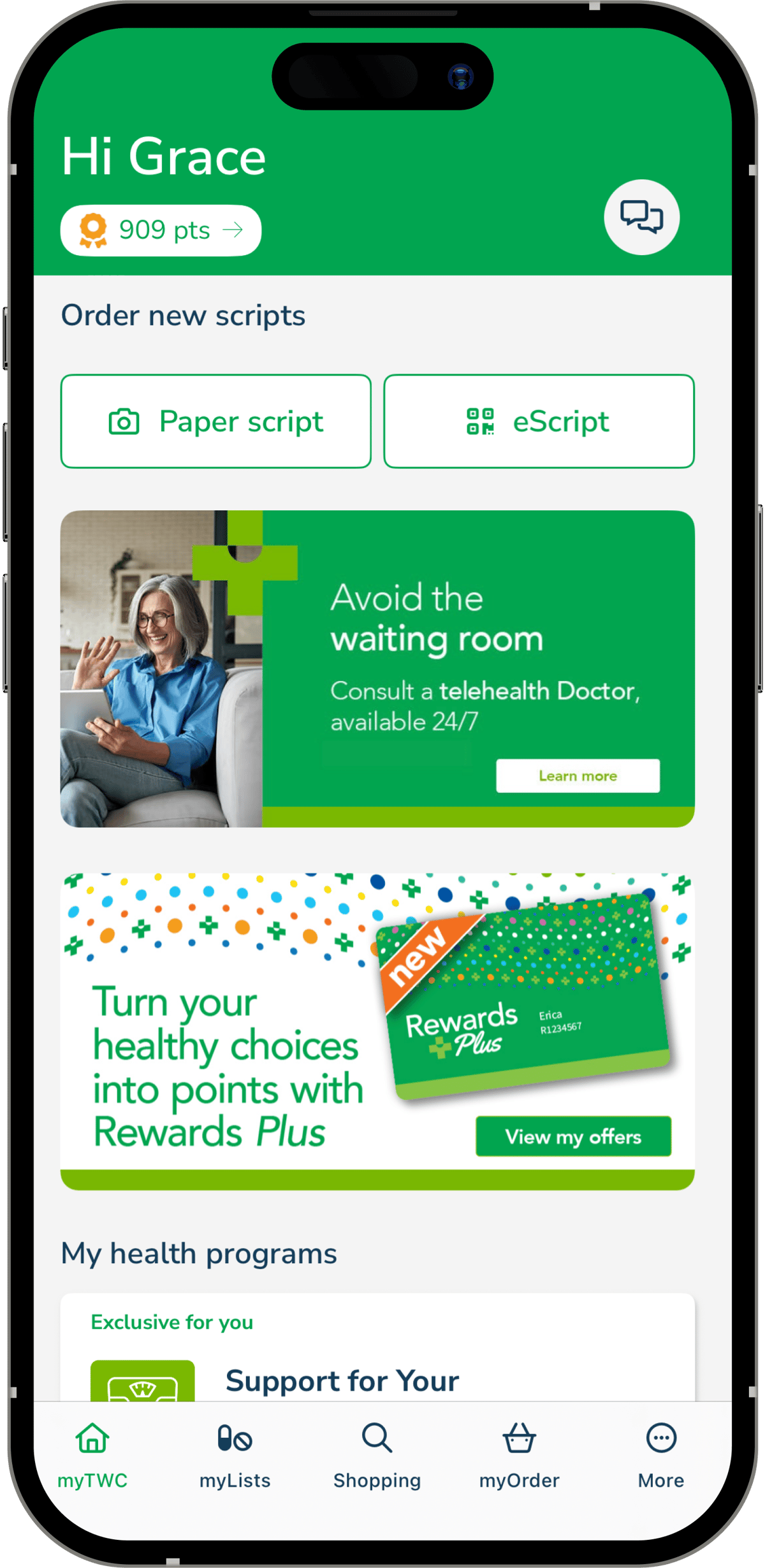
The TerryWhite Chemmart app home screen
Download on the App StoreGet it on Google Play

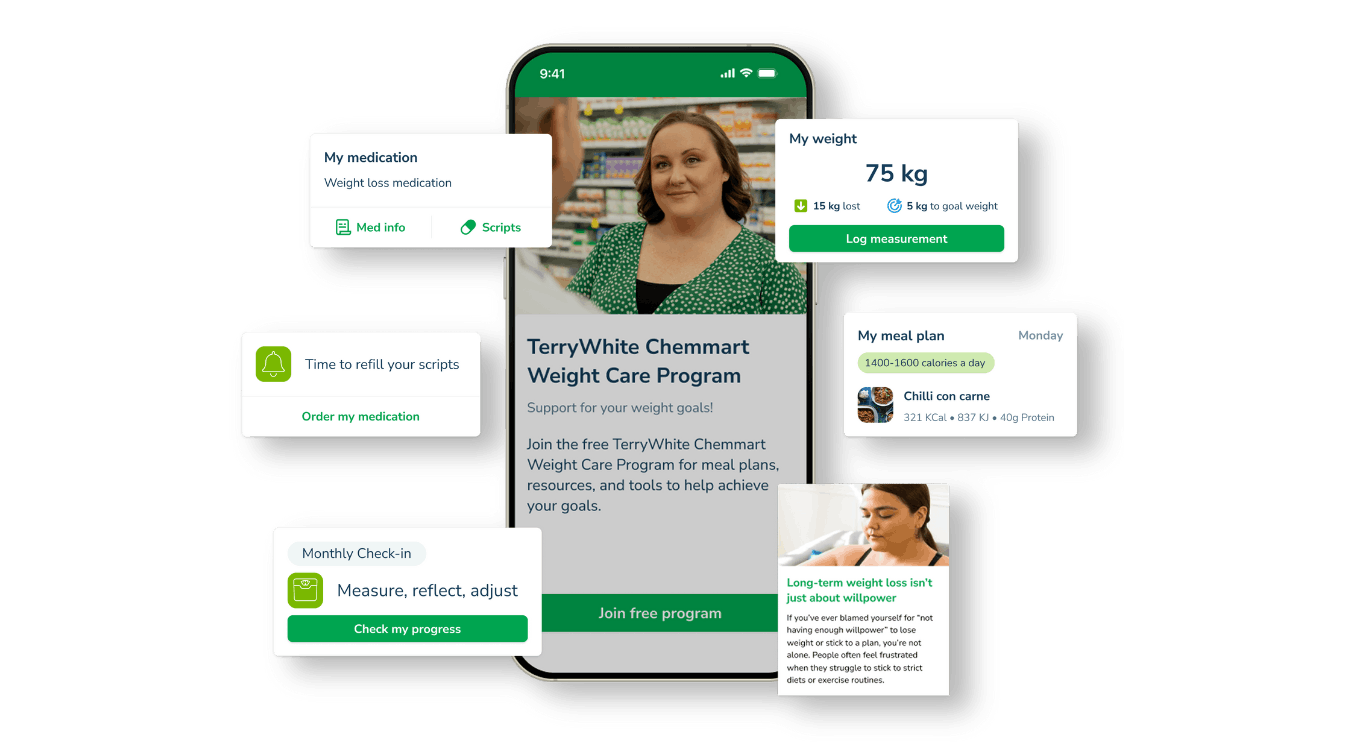
Weight Care Program

Stay on track with your medical weight loss journey


Starting medical weight loss treatment is a big step, and staying motivated can be just as challenging.

The Weight Care Program is complimentary when you have an eligible medical weight loss prescription dispensed at TerryWhite Chemmart. It’s packed with features, personalised content tailored to your journey, helpful reminders to stay on track, and tools to monitor your progress and celebrate milestones.

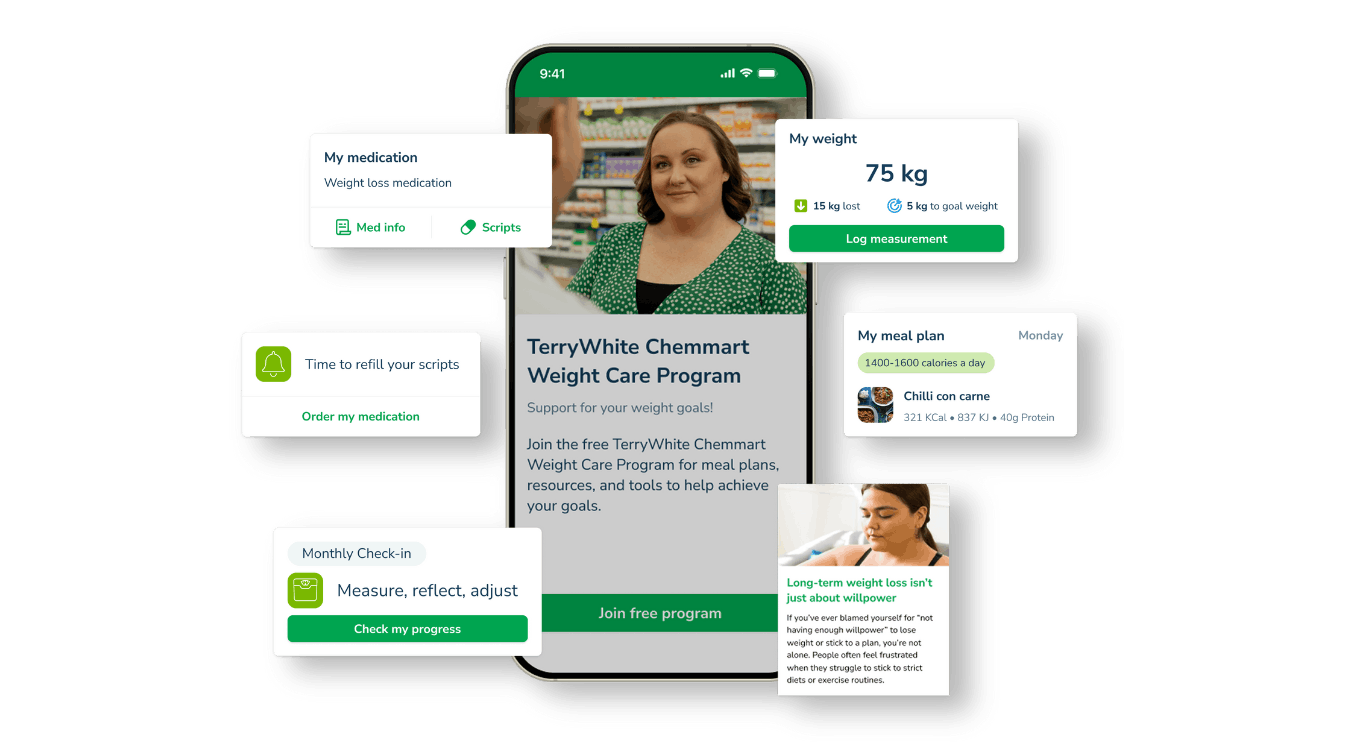
Weight Care Program

Stay on track with your medical weight loss journey


Starting medical weight loss treatment is a big step, and staying motivated can be just as challenging.

The Weight Care Program is complimentary when you have an eligible medical weight loss prescription dispensed at TerryWhite Chemmart. It’s packed with features, personalised content tailored to your journey, helpful reminders to stay on track, and tools to monitor your progress and celebrate milestones.

Sick of hunting for eScript tokens?

My Script List (MySL) keeps every active script in one list. Connect it to the app and new eScripts appear automatically, with nothing to forward, screenshot or show at the counter.

  • New eScripts arrive in the app automatically
  • Repeat counts stay accurate, even at another pharmacy
  • Set up in store or from the app
  • Stay in control of who can see your list

Avoid the waiting room

Speak with an Australian registered Doctor within 15 minutes^, 24 hours a day, 7 days a week via a telehealth consultation.

  • Australian-registered Doctors

  • Fast, secure, and convenient healthcare from anywhere in Australia.

  • Prescriptions, medical certificates & more

  • Consultation fees start at $45

App FAQs

How do I sign up to the TerryWhite Chemmart app?

You can sign up quickly and easily by downloading the app from the Apple or Google Play app stores and completing the sign-up process using your mobile number, email address or third-party login details (Google, Apple).

I already use another script app. Can I easily transfer my medications?

If you already use another prescription management app, you can still be enrolled. All you need to do is visit your local TerryWhite Chemmart pharmacy to be linked for ordering your script repeats and new eScripts.

To make sure you get the best possible experience when managing your medications and eScript tokens, you should remove your previous script management app.

How do I enrol to order my scripts online?

Sign up at participating TerryWhite Chemmart pharmacies. Simply talk to your Pharmacist or pharmacy assistant about how to enrol.

You will need a current mobile number, either your own email address or a Google, Apple or Microsoft account, and a mobile device to download the app and sign up with. You will then receive an SMS message to complete your sign up.

Does it cost anything to sign up?

No, the app is free of charge.

How long after enrolling should I see my medications in my account?

You will be able to see these instantly once you have activated using the link in your welcome SMS.

Do I need my paper prescriptions on file at my pharmacy?

When you sign in, you will see all your medications at your pharmacy listed in your account, ready to re-order if you have repeats available. This includes eScript tokens and paper prescriptions.

You will need to leave your paper scripts on file at your pharmacy to be able to re-order any repeats available.

Can I add other pharmacy shop items to my script basket?

Yes, you can easily and quickly shop for other pharmacy items including over-the-counter products, and add them into your basket for purchasing online at the same time as your script items.

My Script List (MySL) FAQs

What is MySL?

My Script List (MySL) is a secure service that lets you and your chosen healthcare professionals view your current active prescriptions. Connect MySL with the TerryWhite Chemmart app for a comprehensive view of your scripts.

You're in control of which pharmacies and doctors have access to your scripts list, and you can view and manage it right from the app.

What are the benefits of connecting MySL with the app?

Instead of keeping track of the eScript tokens you receive via email and SMS, MySL brings everything together in the app.

You won't have to worry about losing a token, and it's easier to manage multiple medications.

New eScripts will automatically appear in the app and repeat counts are always accurate, even when using a different pharmacy.

How do I connect the app to MySL?

You can connect the TerryWhite Chemmart app to MySL with an activation code provided by your Pharmacist. This can be done in store or via a request in the app.

As part of the setup process, you'll need to consent to your pharmacy accessing your MySL.

You'll also need to keep any paper scripts handy and bring them in with you when they need to be filled.

Do I have to download the app to manage scripts through MySL?

Yes. The app gives you a way to manage all your active prescriptions once you connect it to MySL.

However, your Pharmacist or a TerryWhite Chemmart team member can access MySL on your behalf once you've given permission.

Do I still need to show my eScript token?

No, your Pharmacist will be able to dispense your medications after you have ordered from within the app, without you needing to show your eScript token.

For paper scripts, you will still need to supply the pharmacy with your original and repeat paper script, and you can leave this with the pharmacy for safe keeping.

What if I don't want all my medications included on MySL?

You can choose which medications you want added. Speak to your prescriber about this.

Do I need to prove my identity?

You may be required to provide 100 points of identification to your Pharmacist. You can also nominate a carer or family member to help you look after your MySL.

Will other pharmacies have access to MySL?

No one can access your MySL without your permission. To allow your TerryWhite Chemmart pharmacy to access, simply respond to the SMS your Pharmacist sends after your in-store consultation.

Telehealth FAQs

When can I access telehealth services?


Telehealth services are available 24/7.

Weight loss and COVID-19 antiviral consultations are available daily from 8am to 6pm AEST.

What can I book a telehealth consultation for?


You can use telehealth for:

  • General health concerns
  • eScripts and prescriptions
  • Medical certificates for work or study
  • Specialist referrals
  • Assistance with chronic conditions, including weight management
  • Initial diagnoses
  • Health support for children and the elderly

What device do I need?


You can join your consultation securely from a mobile phone, tablet, or computer.

How do I confirm, join, or cancel my consultation?


You’ll receive a confirmation email and SMS once your consultation is booked. When your doctor is ready, you’ll get another email and SMS with instructions to join, usually within 15 minutes.

To cancel, use the link in your confirmation email.

Do I need a Medicare card, and is there a rebate?


No rebate is available, as this is a private service.

You can use telehealth without a Medicare card, but a valid Medicare card or IHI number is required for eScripts to be sent electronically. Without one, prescriptions must be printed and taken to a pharmacy.

Are there medications that cannot be prescribed?


Yes. Certain restricted medications, including Schedule 8 (S8) and some Schedule 4 (S4) drugs, as well as items listed under Appendix D of the Poisons Standard, cannot be prescribed VIA telehealth consult.

How can I contact support?


If you have technical issues or have a telehealth question, please contact our telehealth partner, Hola Health.

  • Email: [email protected] — available 24/7, 365 days a year. Response times: ~5 minutes for high-priority issues, ~15 minutes for low-priority.
  • Phone: 08 6365 5190 — 9 am to 9 pm AEST, Monday to Friday.

Telehealth consultations are only available for 18 years and over, within Australia. *$69 - After Hours Consult (After 8pm weekdays and all weekend) ∞Exceptions; S8 and S4 Appendix D medications in the Poisons Standard. ^Patient enters a queue to speak with Doctor. Wait times may vary. †Platform is a third-party partnership. Australian-registered Doctors are not associated with TerryWhite Chemmart. #Payment conditions, general terms and conditions and private health insurance fund rebate conditions are determined by third-party telehealth provider. The results of a specialist referral will be sent to Hola Health. Please let the Hola Health Doctor know if you would also like the results to be sent to your regular Doctor.